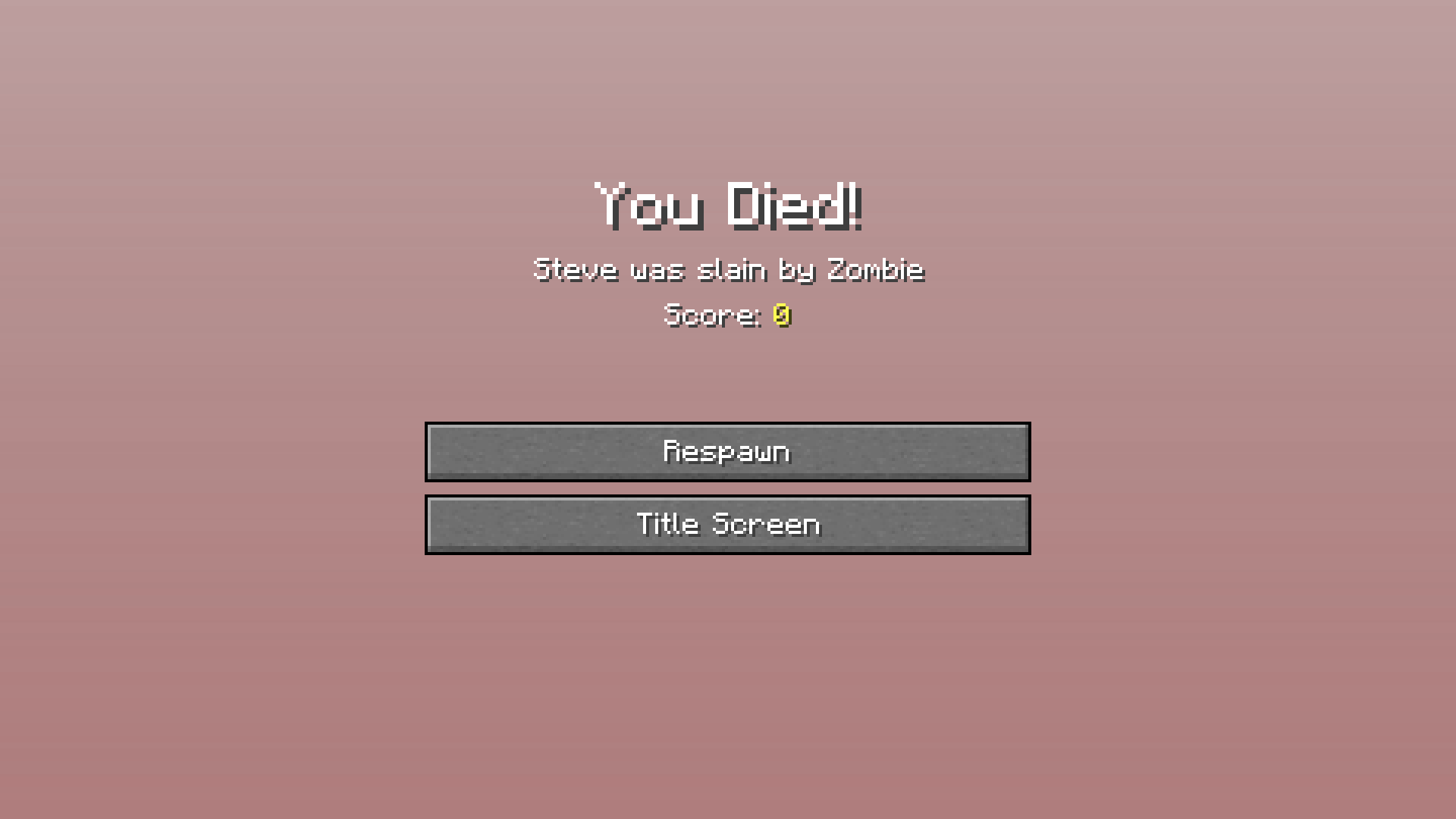
The Minecraft "You Died!" screen, any way you died
This makes the death screen you get in Minecraft Java: the red tint over everything, "You Died!" big at the top, the death message under it, your score, and the Respawn and Title Screen buttons. Every death message in the list is the game's own wording, all 99 of them, from getting slain by a zombie to hitting the ground too hard to "Intentional Game Design".
The download is a full-screen transparent PNG. The red tint is see-through just like in game, so you drop it over your footage and the world shows through behind it. Want the hotbar and empty hearts under it too? Stack it with the HUD overlay.
How to make a Minecraft death screen
- Pick how you died from the list.
- Type your player name, pick the mob or type who killed you, and add a weapon if the message has one.
- Set a score, and flip on Hardcore if you want Game Over!
- Pick your video size and hit Download PNG.
Frequently asked questions
Are these the real Minecraft death messages?
Yes. All 99 are taken from the game's own text, from "was slain by" to "hit the ground too hard" to "was killed by [Intentional Game Design]". Pick one and fill in the names.
Can I put my own name and the mob that killed me?
Yes. Type the player name, pick the mob from the list or type any name, and add a weapon if the message uses one. The weapon shows in square brackets and italics like a renamed item does in game.
Is the death screen transparent?
The red tint is see-through, the same way it is in game, so your footage shows through behind it. Everything else is the real text and buttons.
Can I make the Hardcore Game Over screen?
Yes. Flip Hardcore on and the title changes to Game Over! and the top button changes to Spectate World, like the game.
Does it line up with my footage?
Yes. Pick your video size and it lays the screen out the way the game does at that size with auto GUI scale, so it lines up full frame.
Is it free?
Yes. No account, no watermark. It runs in your browser and nothing you type leaves your computer.
More free tools: Minecraft Achievement Generator · Minecraft HUD Overlay Maker · Minecraft Name Tag Generator · Minecraft Chat Generator · Minecraft Bed Message Generator