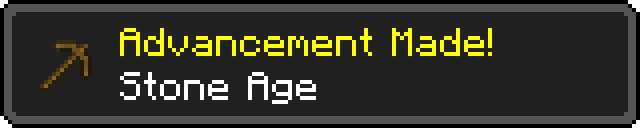
Make any Minecraft achievement
This builds the little popup that slides into the top right corner when you earn an advancement. It's the game's own toast box, the game's bitmap font, and the item icon in the slot on the left. Pick a real one from the list and it fills in the exact title, icon and type, or type your own and pick any icon you want.
Grab "just the toast" if you want to move it around yourself, or "full screen" for a 1920x1080 PNG with the toast already sitting where the game puts it.
How to make a Minecraft achievement
- Click a real advancement in the list, or skip that and just type a title.
- Pick the top line. Advancement Made!, Goal Reached!, Challenge Complete!, the old Achievement get!, or your own words.
- Pick an icon from 1,385 items and blocks, or upload your own image.
- Choose just the toast or the full screen, then hit Download PNG.
Advancement Made, Goal Reached, Challenge Complete, or Achievement get?
Minecraft has three kinds of advancements. Most say "Advancement Made!" in yellow. Goals like "Cover Me With Diamonds" say "Goal Reached!", also yellow. The hard ones like "How Did We Get Here?" say "Challenge Complete!" in pink. Before version 1.12 they were called achievements and the popup said "Achievement get!", which is the version a lot of people still remember.
Frequently asked questions
Can I make a Minecraft achievement with my own text?
Yes. Type anything in the title box. You can also change the top line to Advancement Made!, Goal Reached!, Challenge Complete!, the old Achievement get!, or your own words.
Are all the real Minecraft advancements in here?
All 122 Java Edition advancements are in the list with their real titles, icons and types. Click one and it fills everything in. You can still edit it after.
Can I use my own icon?
Yes. Pick from 1,385 item and block icons, or upload your own image and it goes in the icon slot.
What's the difference between Advancement Made, Goal Reached and Challenge Complete?
They're the three advancement types in the game. Normal ones say Advancement Made! and goals say Goal Reached!, both in yellow. Challenges say Challenge Complete! in pink. Before 1.12 the game called them achievements and the popup said Achievement get!
Where does the achievement show up on screen?
Top right corner. The full-screen download puts it exactly there for your video size, so it lines up when you drop it on your footage.
Is it free?
Yes. No account, no watermark. It runs in your browser and nothing you type or upload leaves your computer.
More free tools: Minecraft Death Screen Generator · Minecraft Name Tag Generator · Minecraft Chat Generator · Minecraft HUD Overlay Maker · Minecraft Bed Message Generator